
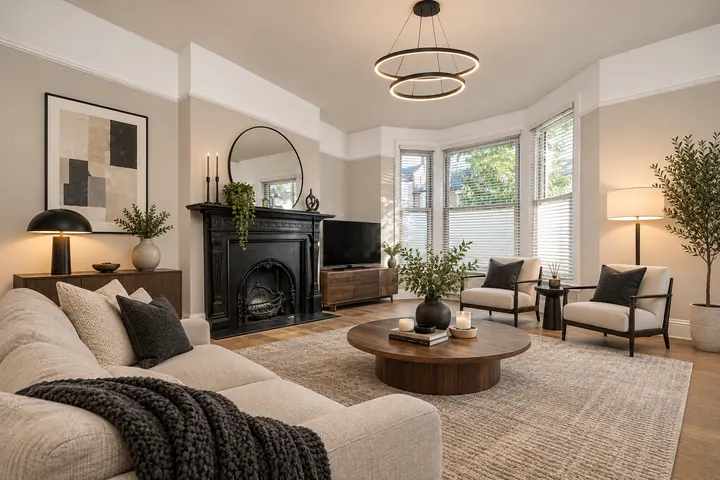
Modern
Clean lines, neutral walls, black and wood accents.
Upload a photo of your living room, bedroom, kitchen or bathroom, choose an interior style and see in about 1–2 minutes how the room could look after a makeover – new wall color, new flooring, new furniture. Your windows, doors and layout stay exactly where they are.
Aspect ratio
Resolution
Number of images
Thinking
Web search
Each image uses about 21 credits (≈ $0.20–$0.25 depending on your plan). Credits come with a subscription from $5.99 / month. Failed generations are refunded automatically.
Every example is a real photo of a lived-in room, redesigned with this tool and not retouched. Drag the slider to compare.
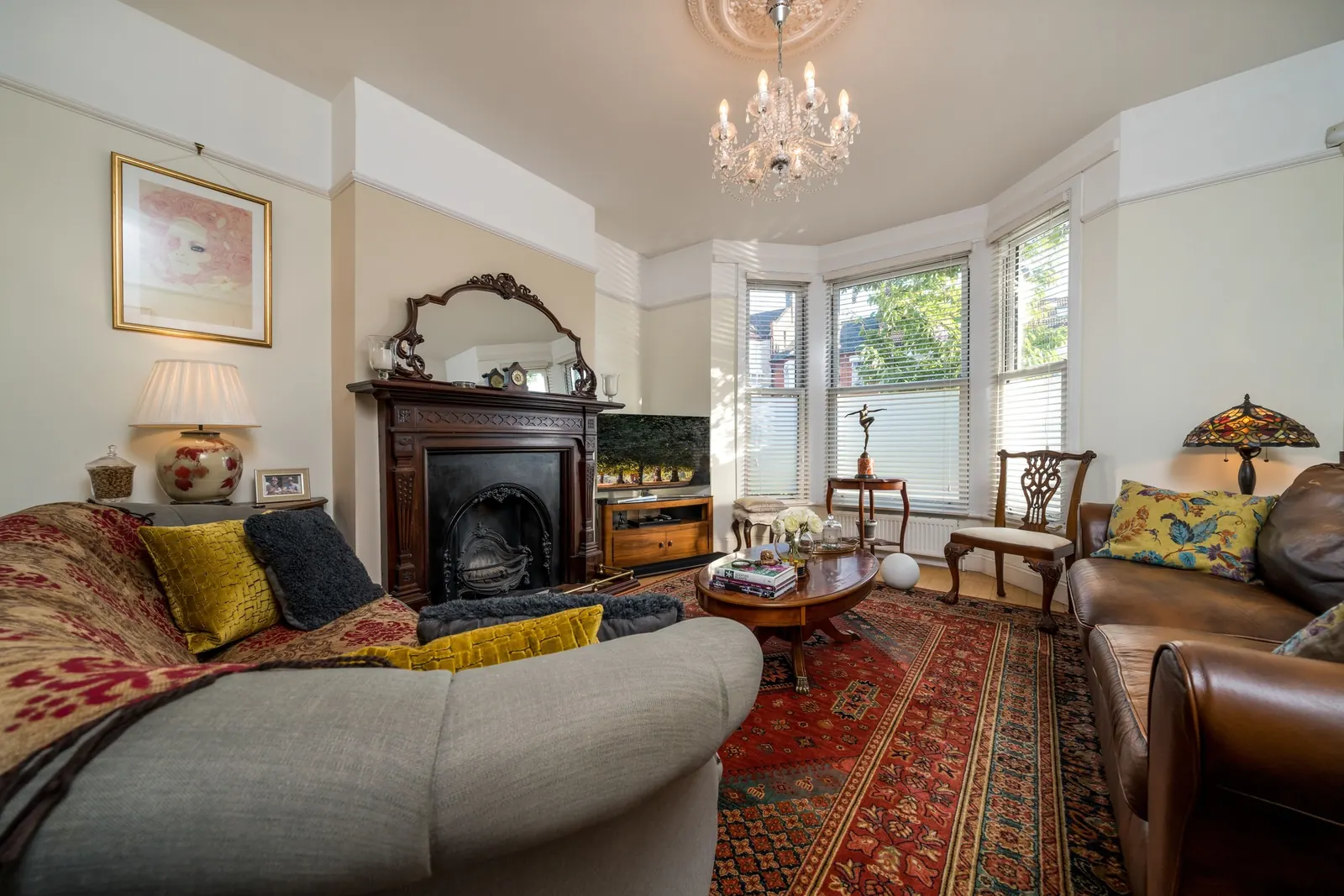
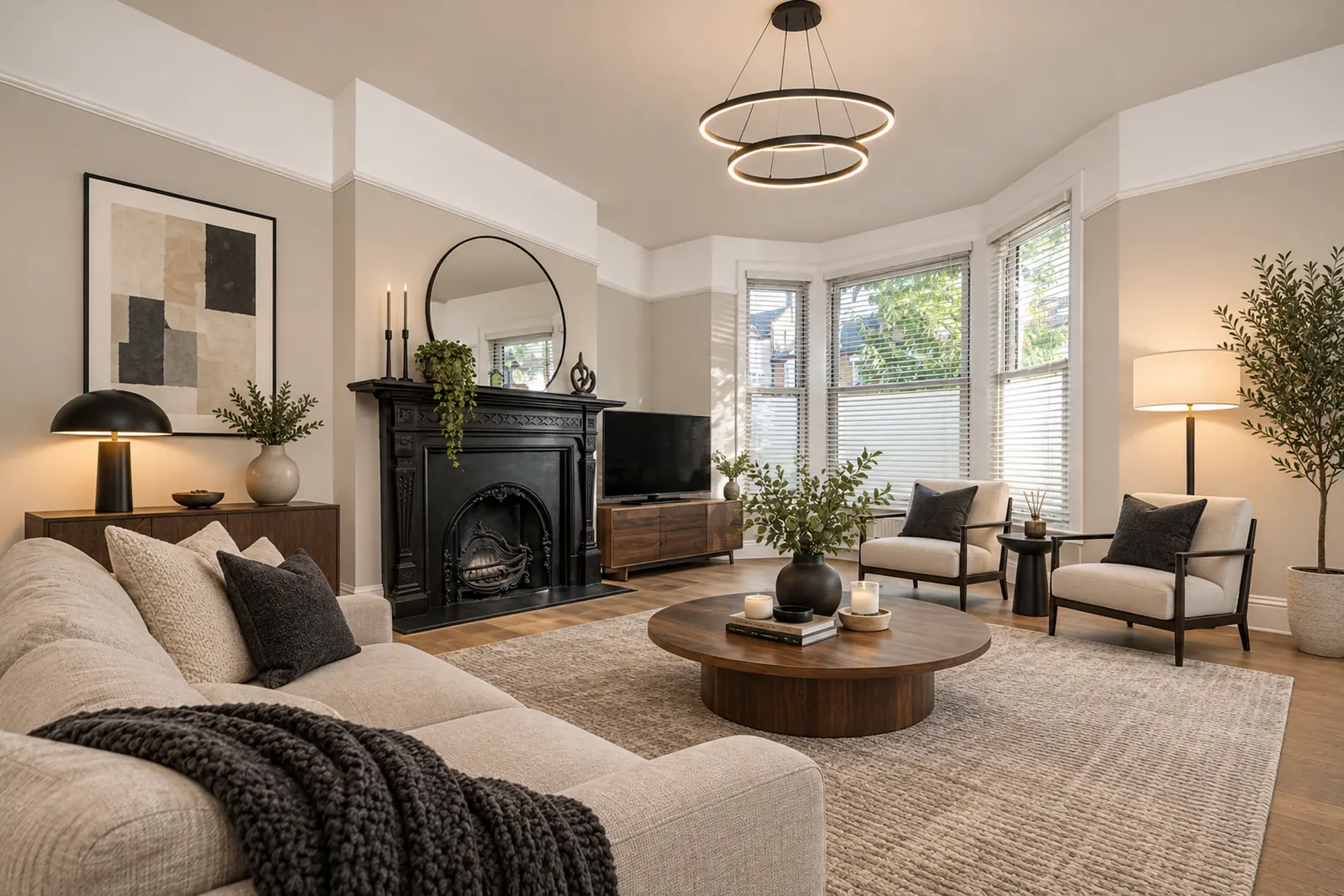 BeforeAfter
Living room · Modern style · made with GPT Image 2.6 · Original photos: Pexels.
The AI redesigns the whole room but respects its architecture, so you see your own room, not a random picture from the internet.
Not sure which style suits you? Generate the same room in several styles and compare them side by side.
Clean lines, neutral walls, black and wood accents.
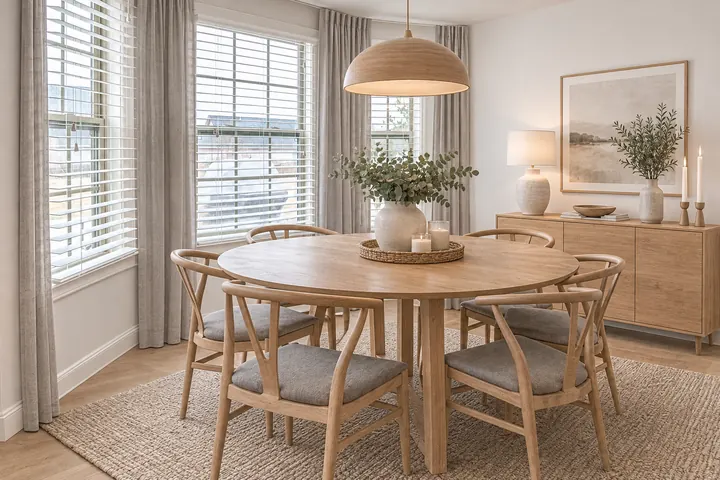
White walls, light oak and soft textiles – bright and cozy.
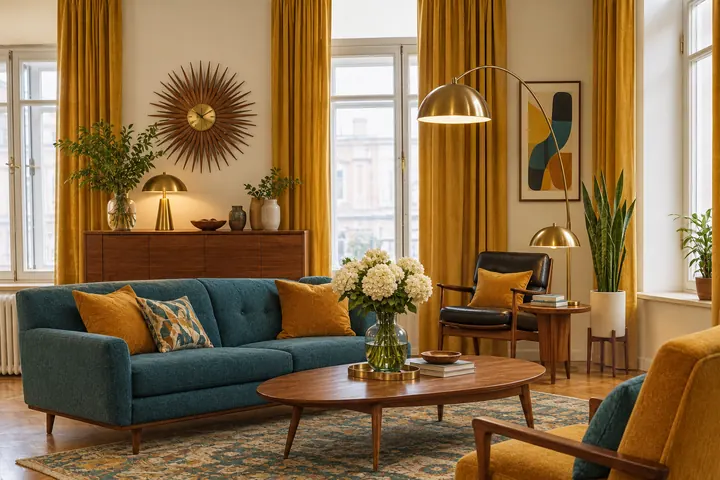
Walnut, tapered legs, warm walls with mustard and teal accents.
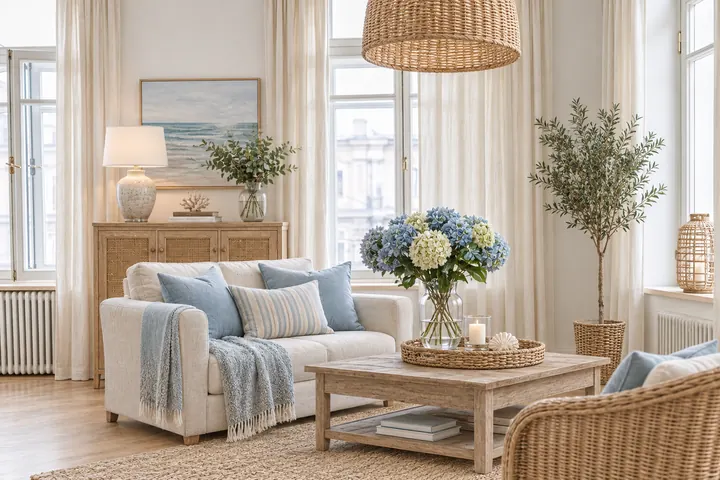
Sand and white tones, light wood, rattan and linen.
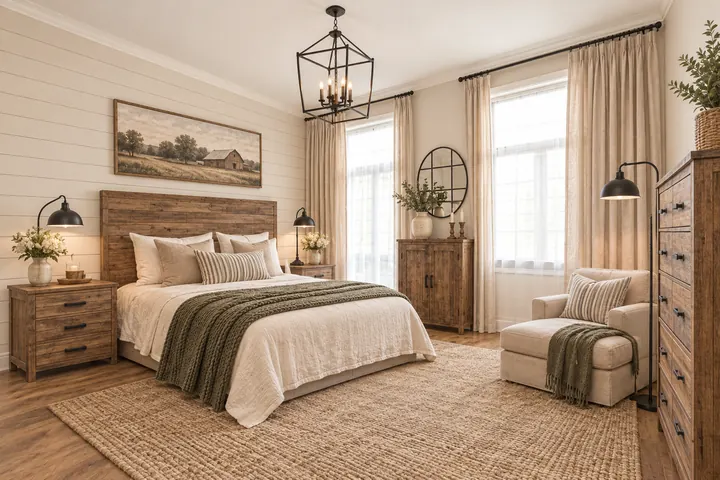
Cream walls, shiplap, reclaimed wood and black metal.
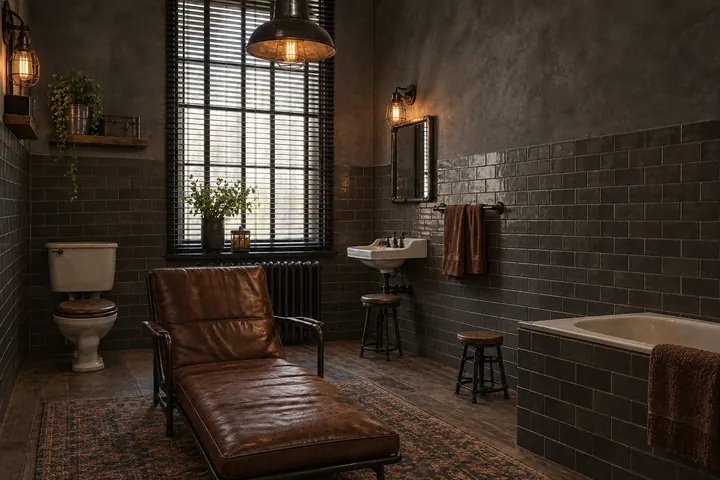
Dark or concrete-look walls, leather, metal and raw wood.
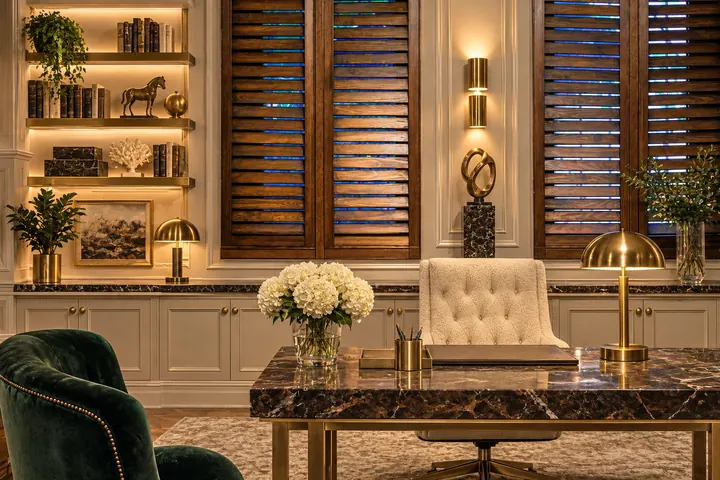
Velvet, marble, brass, wall moldings and layered lighting.
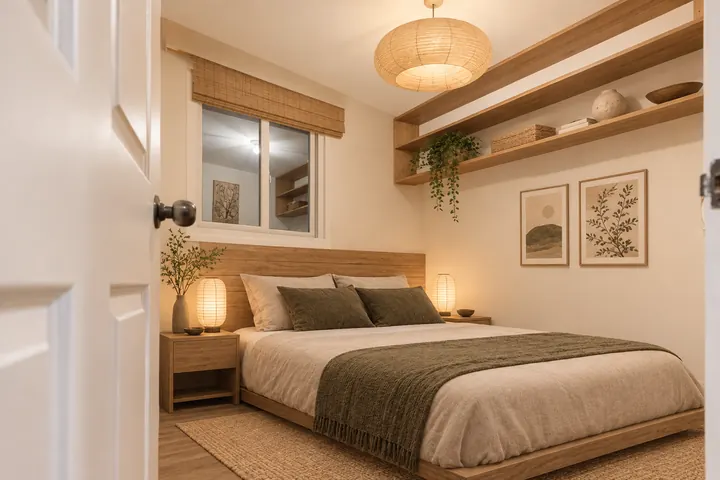
Warm off-white, low light-wood furniture, very little decor.
A normal phone photo is enough. Landscape, in daylight and taken from a corner works best, so as much of the room as possible is visible.
Tell the AI which room it is and choose one of the 8 interior styles.
After about 1–2 minutes you see your room in the new style. Try more styles or the second AI model, then download the images.
New sofa, new wall color, different floor – see how your living room feels in another style.
From dated to calm: bed, nightstands, colors and lighting combined in a new way.
Table, chairs and a statement light in the new style, sized for your windows and room.
New cabinet fronts, countertops and backsplash while the stove, sink and appliances stay where they are – a quick way to preview a kitchen remodel.
New tiles, vanity and fixtures without moving the tub, shower or toilet – useful before a bathroom remodel.
Turn a cluttered corner into a tidy workspace with a desk, shelving and good light.
See how new paint, flooring or tiles would look in your own room before you spend any money.
Upload photos of your new place and compare interior styles before you buy furniture.
Modern or farmhouse? Redesign the same room in several styles and decide with the picture in front of you.
Show your partner, family or contractor what you have in mind with one image.
Yes. Upload a photo of your room and choose the room type and a style. The AI creates a new image of the same room with a different wall color, flooring and furniture, while the windows, doors, walls and camera angle stay the same.
No, there are no free credits. One image uses about 21 credits; the smallest plan, Plus, is $5.99 a month for 500 credits, which is about 23 images. If a generation fails, the credits are refunded automatically.
The AI is instructed not to move windows, doors or walls, or change the ceiling height or camera angle. In our tests the architecture was kept in every image. If a detail does change, simply generate again.
Living room, bedroom, dining room, kitchen, bathroom and home office, each in Modern, Scandinavian, Mid-Century Modern, Coastal, Farmhouse, Industrial, Luxury and Japandi style.
Yes. In kitchens and bathrooms the AI can change cabinet fronts, countertops, tiles and fixtures, but keeps the sink, stove, tub, shower and toilet in the same places – so the result stays close to what a remodel could realistically look like.
This page redesigns the whole room in one style. For targeted changes such as “paint the walls sage green”, use the AI Image Editor and describe the change in your own words.
Usually 1–2 minutes per image. You can leave the page – finished images appear in your Create workspace.
A sharp landscape photo in daylight, taken from a corner, showing the floor, a window and at least two walls. Wide-angle is fine; heavy distortion is not.
Not quite. Room planners help you place furniture on a floor plan. This tool works from a photo and shows how the whole room could look in a new style, including walls and floors.
Yes. Images you create on a paid plan (Plus or Pro) are yours, including for commercial use. You can cancel your subscription anytime.
Plus $5.99 · Pro $19.99 a month.